**DO NOT JUST CLICK THE CALENDAR LINKS OR COPY INTO A BROWSER**
- IF you click the calendar links directly instead of adding them as a subscription then it will just add the events to your calendar, and you will not receive updates!
How to add the TIS Athletics Calendar
- Open Calendar
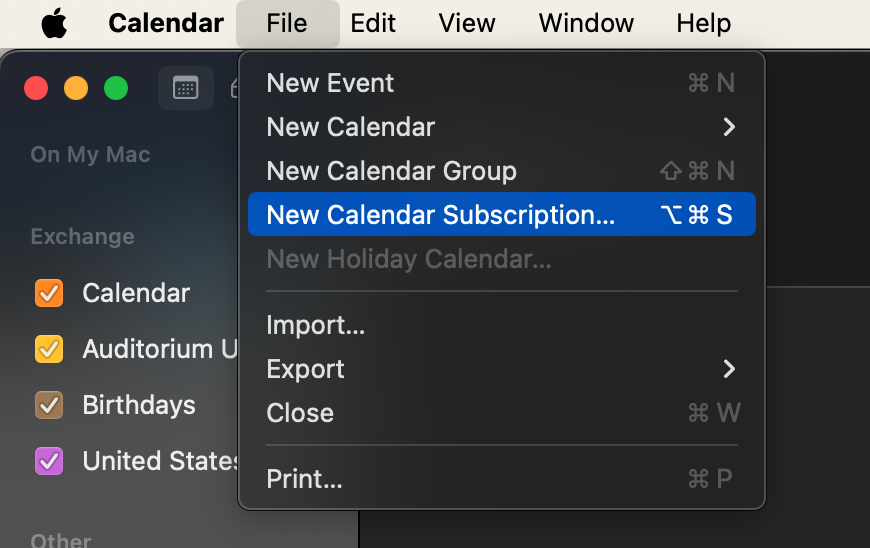
Click on “File” –> “New Calendar Subscription”:
Copy and paste this link(Do not click it directly!):
https://outlook.office365.com/owa/calendar/cc77a61dca0d4dbfaff227f84e8d25ed@tiseagles.com/97ab4c394dc946128e5728f02981aab39056854679331227983/calendar.ics
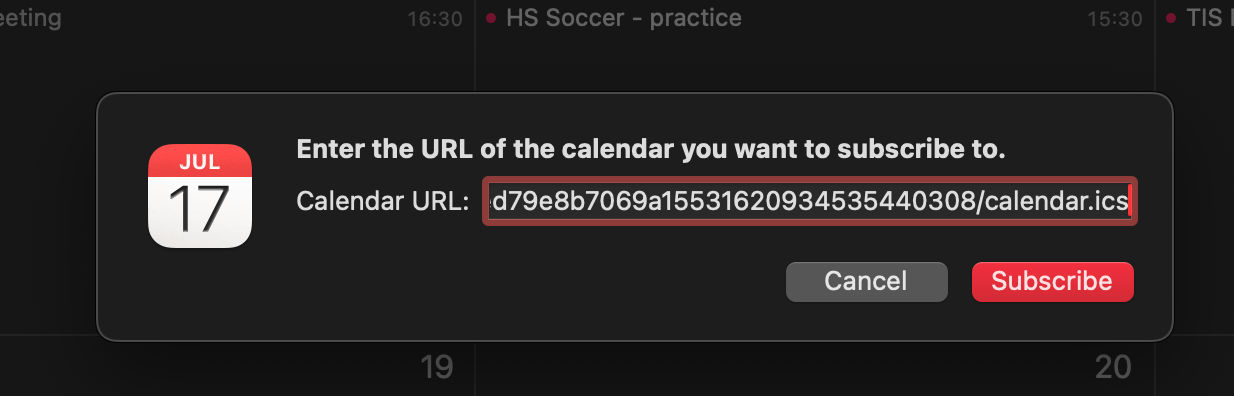
Click “Subscribe”.
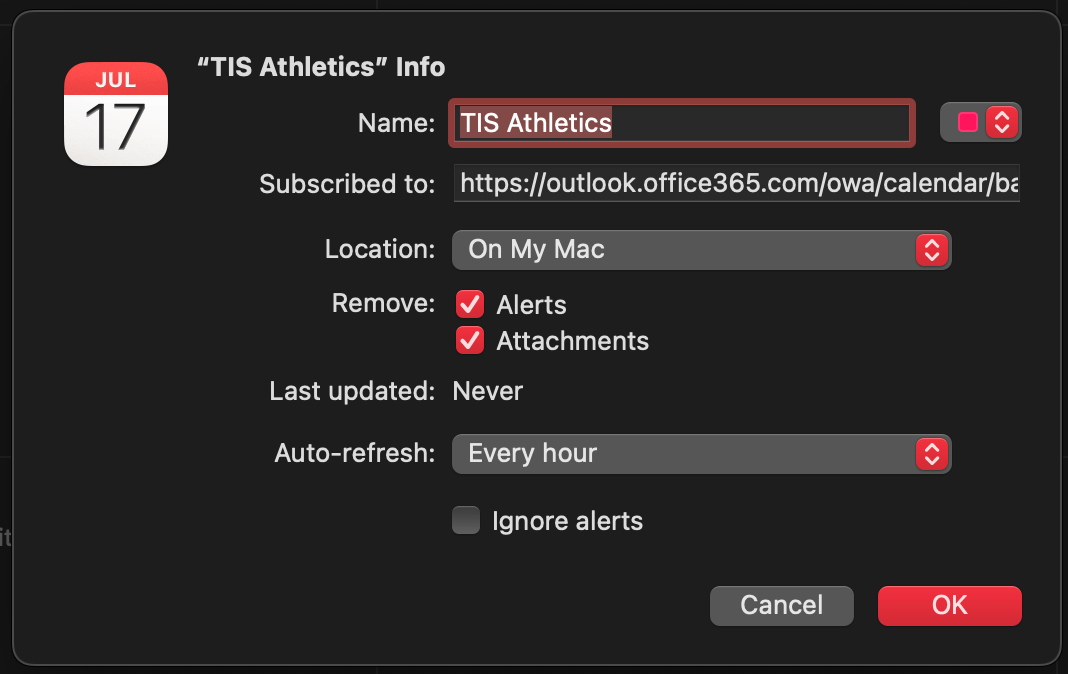
Choose the name of the calendar and whichever color you would like to use for the calendar, also be sure to choose the Auto Refresh
Auto-Refresh is probably sufficient at 1 hour, if you would like the calendar to update more frequently you can choose a shorter time: