To print on thicker paper, or card stock please use the following guide.
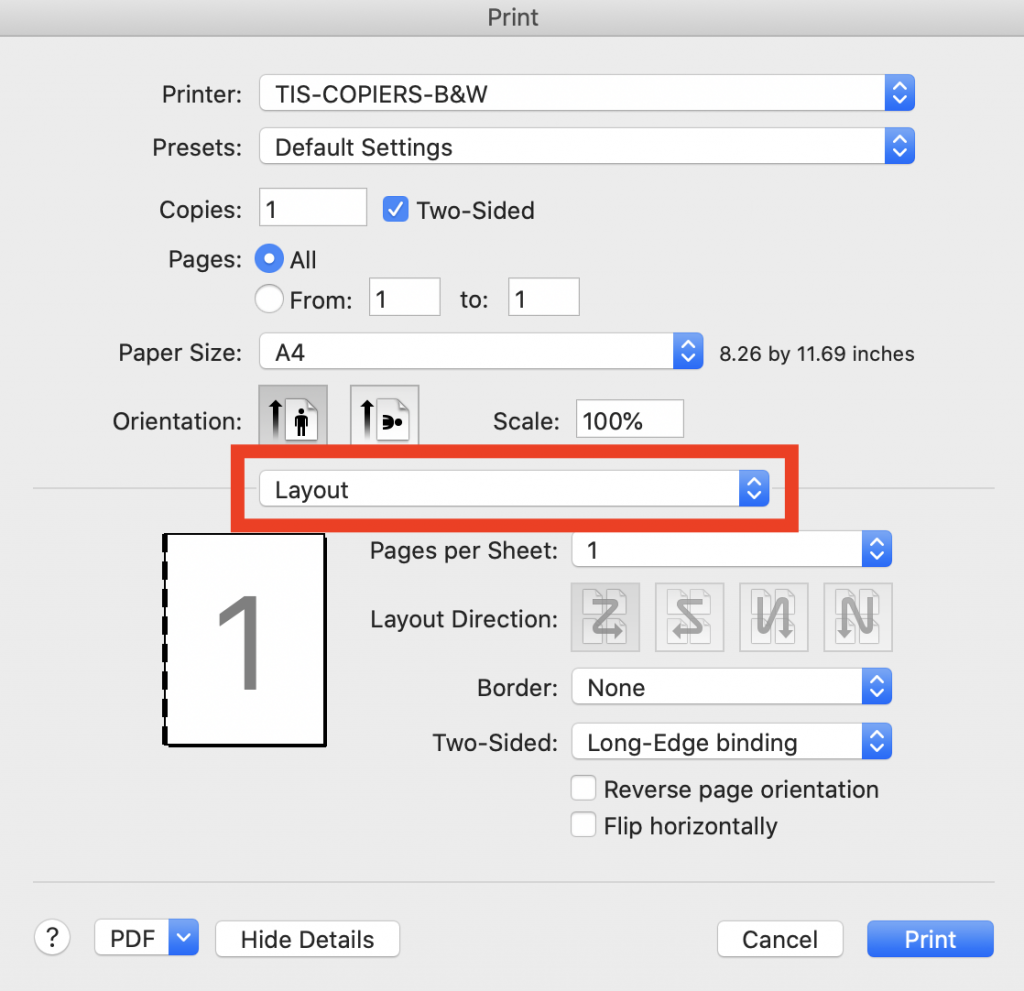
Choose either TIS-COPIERS-COLOR, or TIS-COPIERS-B&W depending on whether you want to print color or grayscale. Then Choose the layout dropdown:
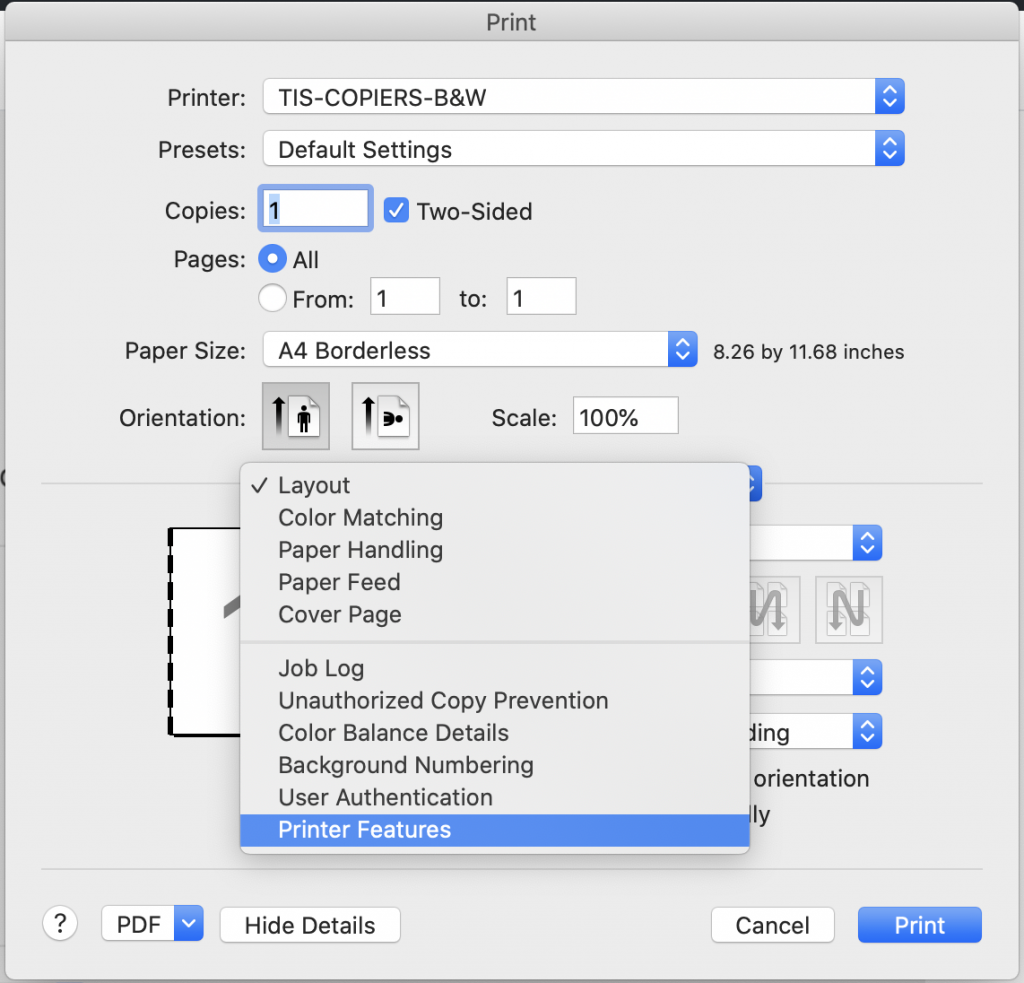
Then Choose “Printer Features”
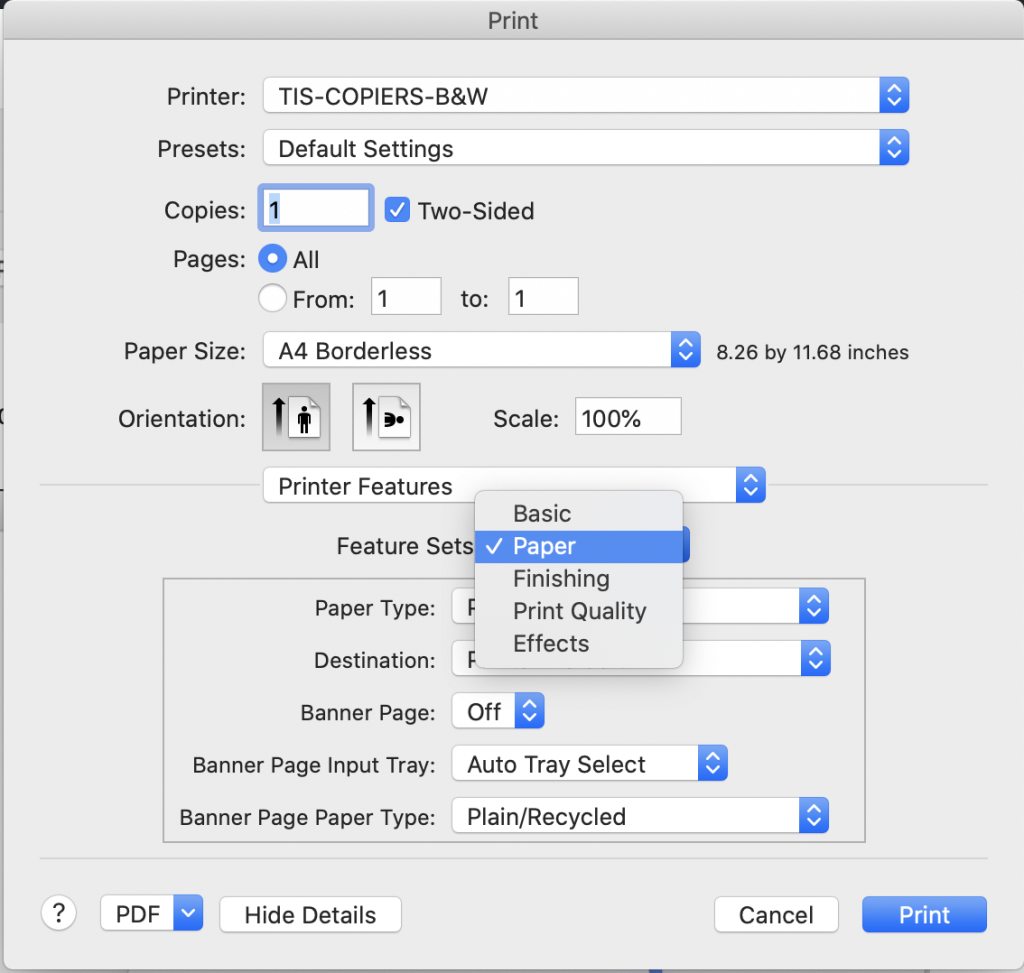
Under “Feature Sets” Choose Paper:
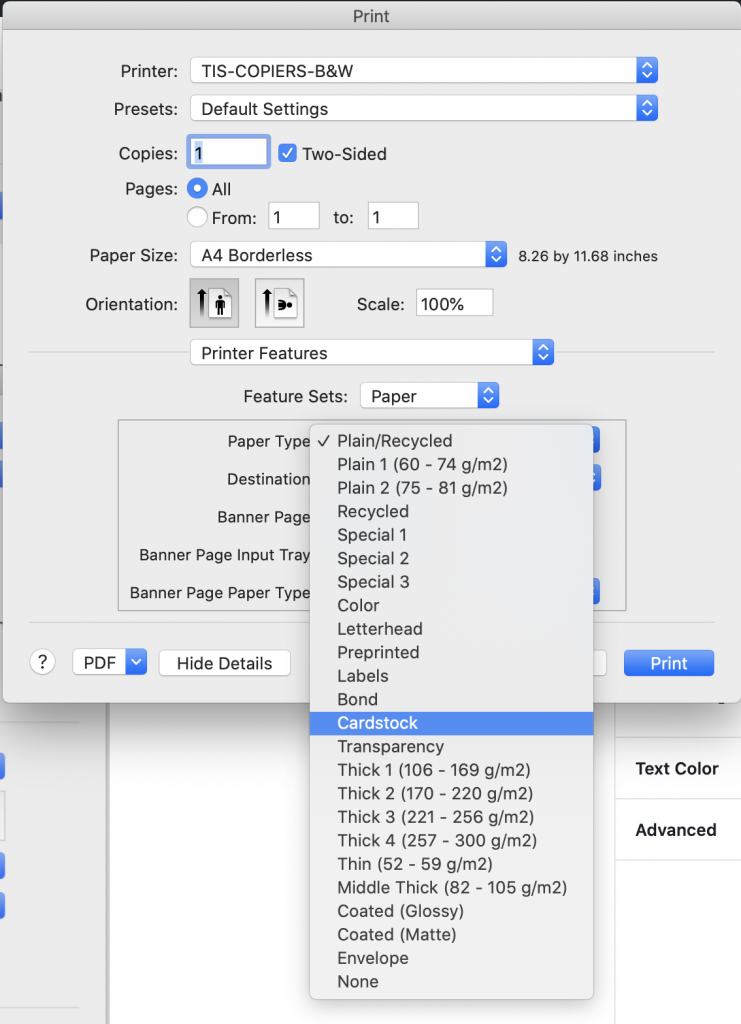
Under “Paper Type:” Choose the type of paper that corresponds closest to the paper you are trying to print from. If you are unsure, choose cardstock as this will feed the paper the slowest of the options:
When you use the paper, you will need to feed it in from tray 5, which is the bypass tray, located on the right side of the printer. You will need to flip it down and load the paper: