To remove old addresses that are no longer valid from automatically filling in the address bar of Mac Mail do the following:
Go to the Window menu and choose Previous Recipients:
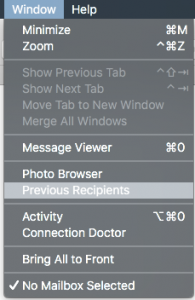
Select the recipients in the list you don’t want to automatically fill anymore and choose Remove From List.