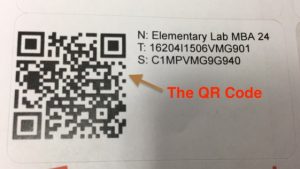
What are the QR Codes? The code takes you to our all new TIS Asset Database! From here, you will see all the information about your computer such as the purchase date, purchase price, model number, and more. We also have the ability to record repairs and peripherals (keyboards, monitors, etc.)
How do I use the QR Code? You can scan the code using any QR Code reader app (I personally like the app Quick Scan) or the scanner in WeChat. It will take you to a sign in page where you will use your AD login (the one that you use for PowerSchool, Moodle, etc.). From that page, you can see your computer’s information.
Why do we have this? On one hand, this satisfies the local tax requirement for labeling fixed assets in our school (your computer being one of them). On the other hand, this will give you the ability to see the information that we have on file about your computer and answer your questions like, “how long have I had my computer?”.
So, if you don’t have a sticker yet, please stop by the office to get one!