To set an Out of Office reply:
- Log into mail.ldichina.com. In the top right hand corner click on Options:
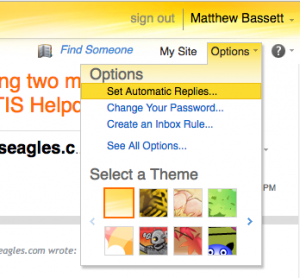
- Choose Set Automatic Replies… You will be prompted for your username and password again. Once you login, you will be at the Automatic Replies page, You can set the period of time you want auto replies to be sent, and then create the auto reply below that.