All Copiers on campus are equiped with a finishing unit that allows for stapleless and standard stapling. To accomplish this choose either TIS-COPIERS-COLOR, or TIS-COPIERS-B&W depending on whether you want to print color or grayscale.
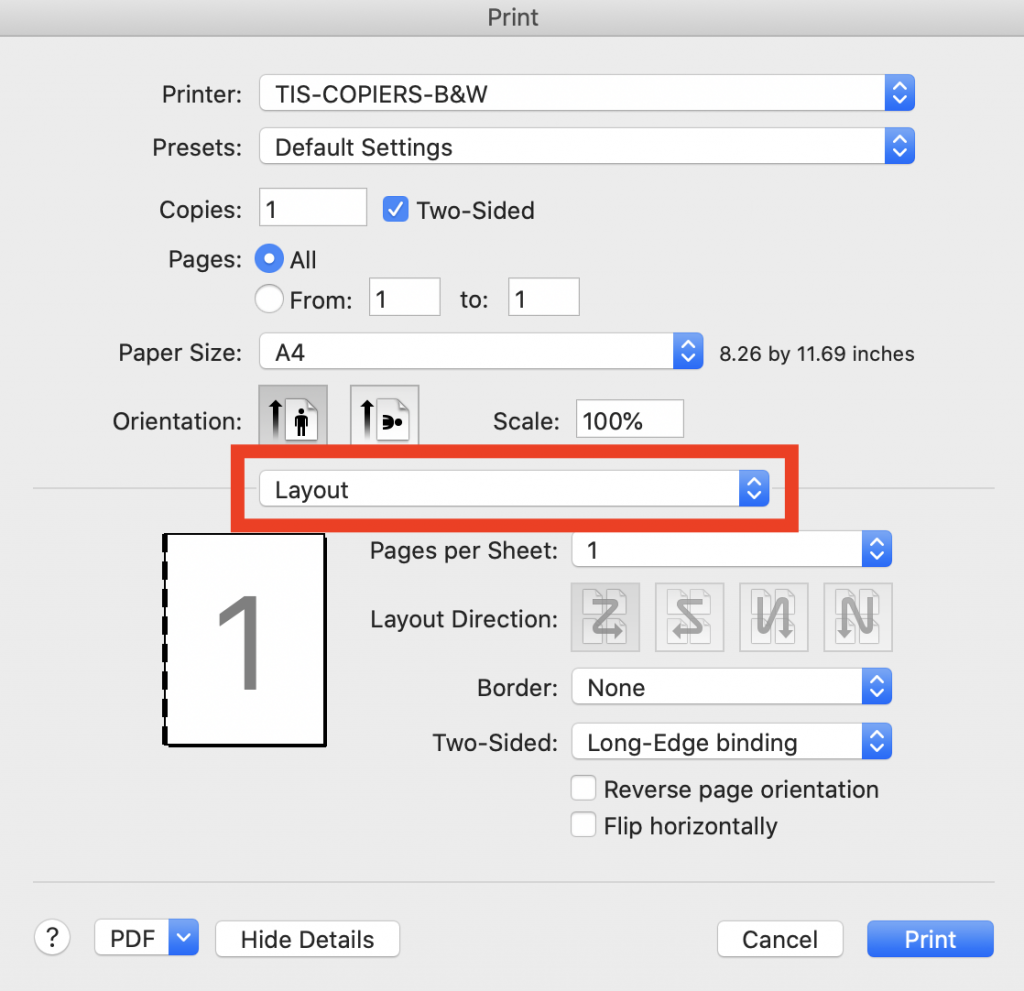
Click the Layout dropdown menu, and then choose “Printer Features.” If you don’t see a menu like this, the application you are printing from may have its own dialog box. There should be an option that says use system dialog box that will take you to the above screeen.
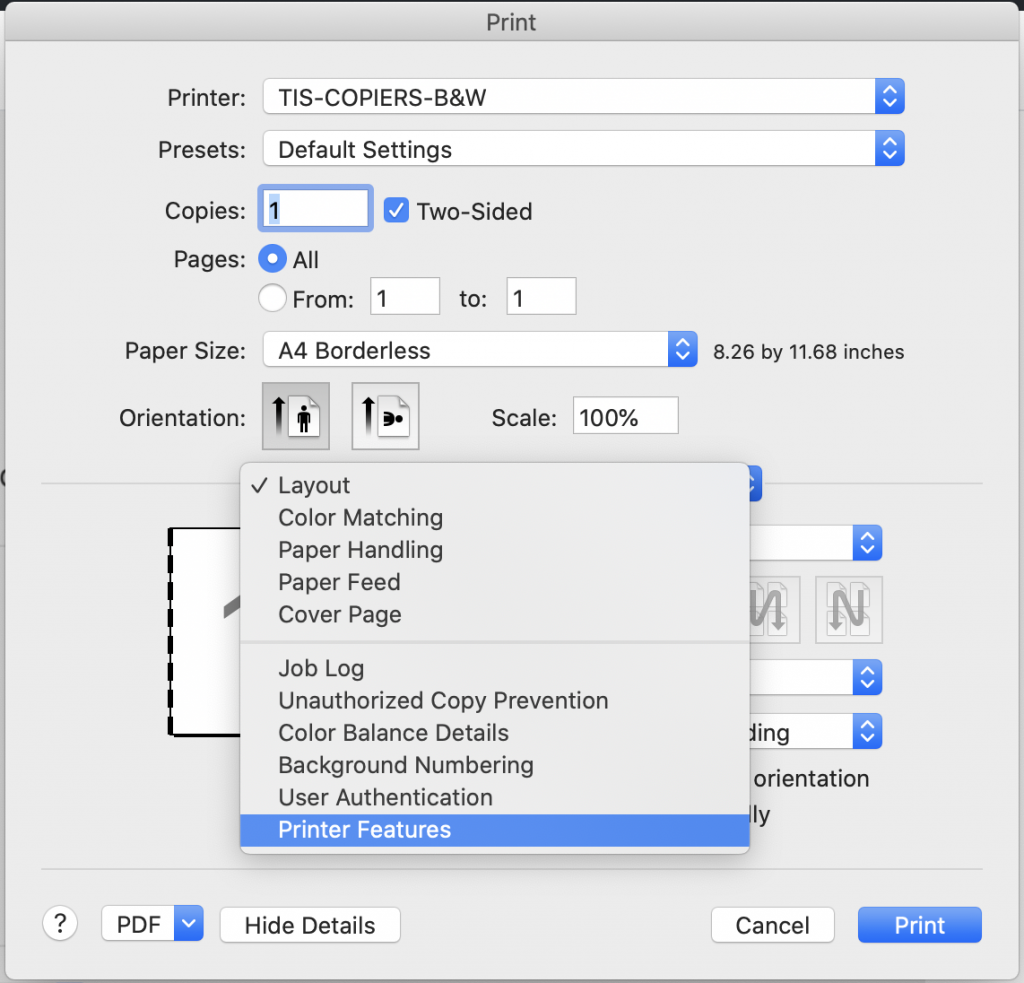
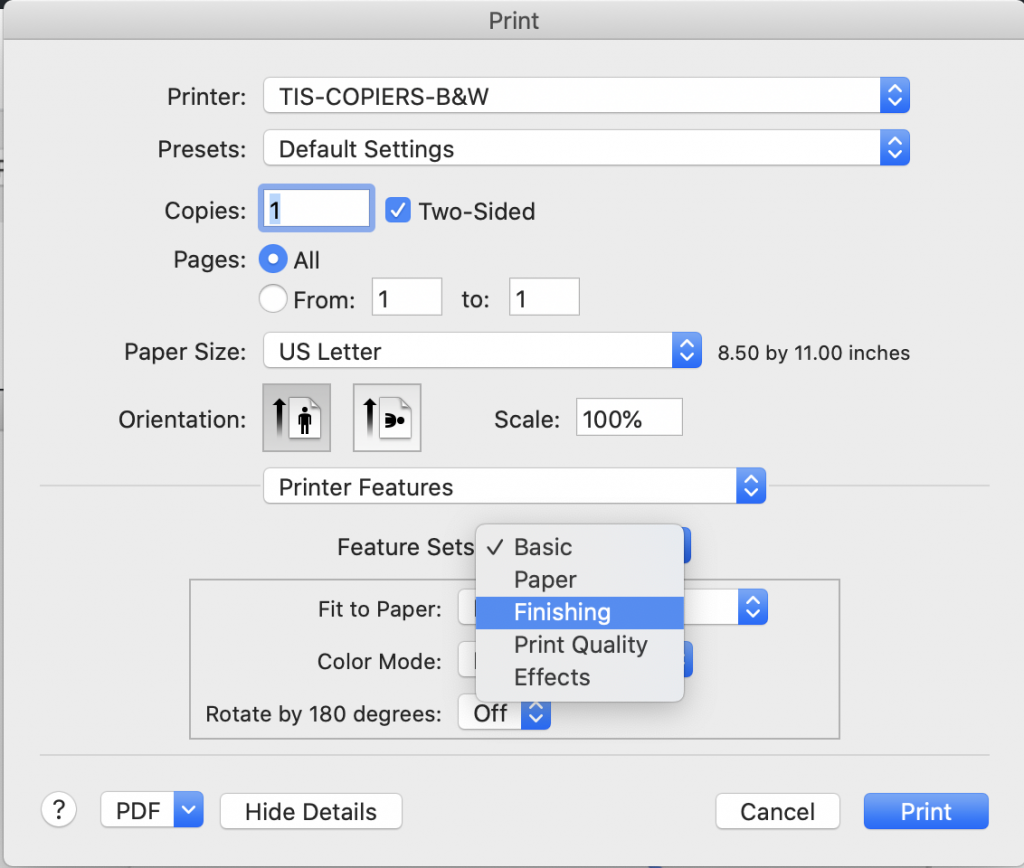
Under “Feature Sets:” choose “Finishing”
Under “Staple” you an choose the style of stapling you would like to use:
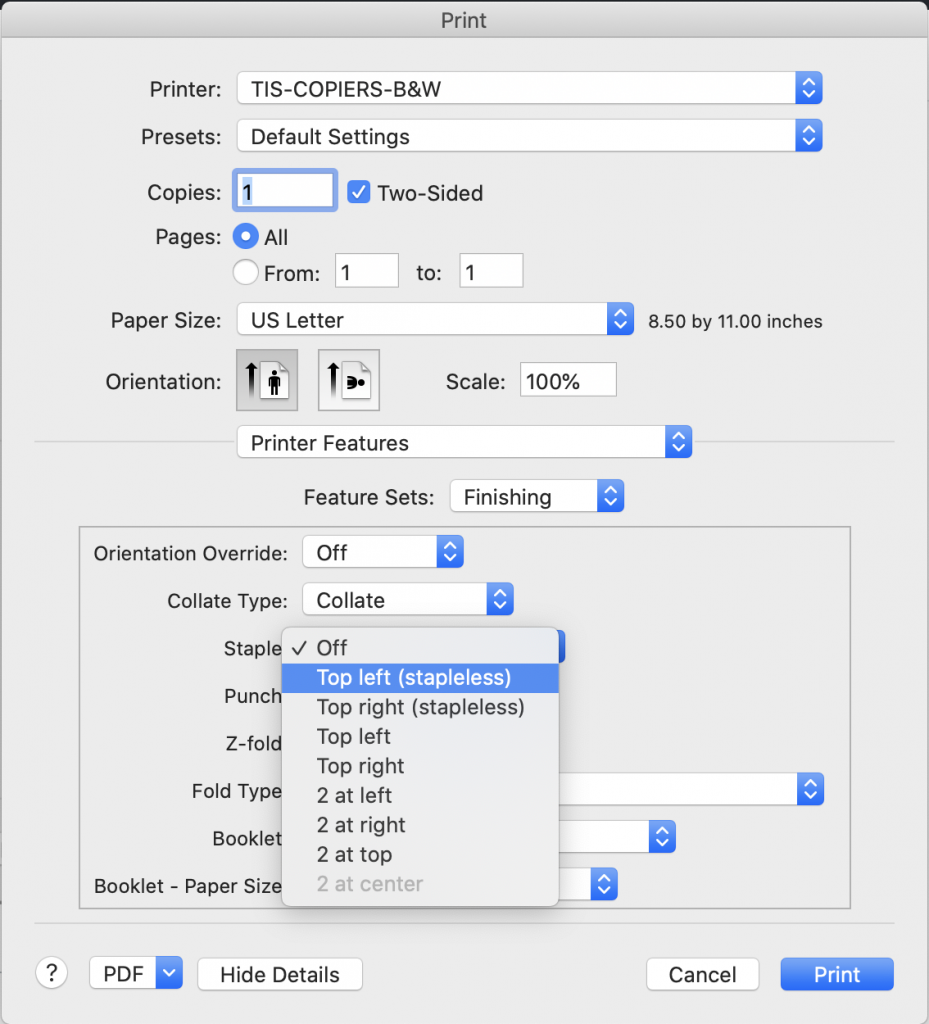
The Stapleless option will attach the papers together by punching the sheets out in a pattern to keep them together. This will work up to 10 pages, anything over that should use one of the standard staple options up to 50 pages.