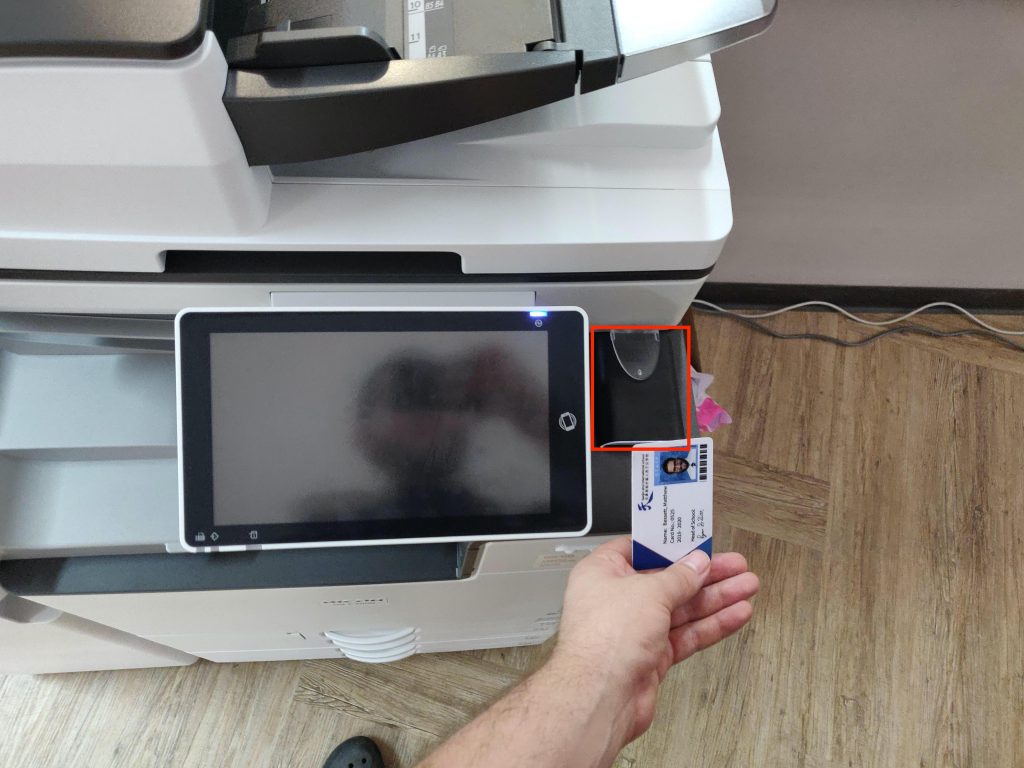
To add your new card to the copier swipe it on the card reader to the right of the copier screen
You will then be promted to login. Use firstname.lastname and your computer password to login
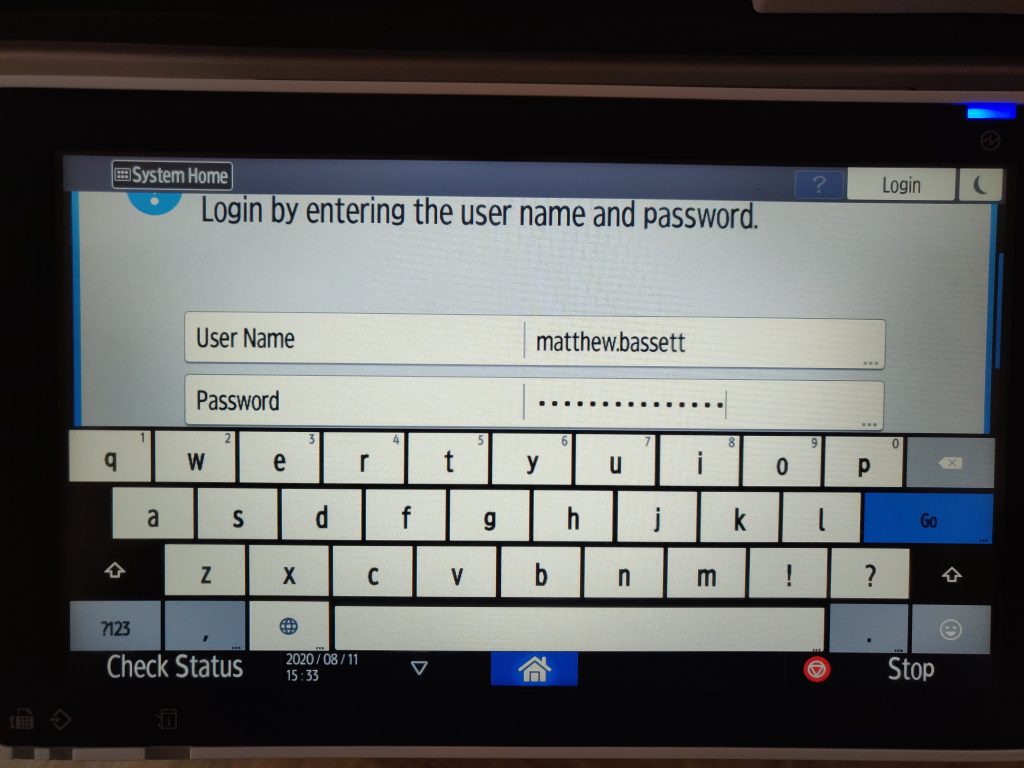
Click “Go” to login to your account. Then click OK on the following screen to add the card to your account permanently.
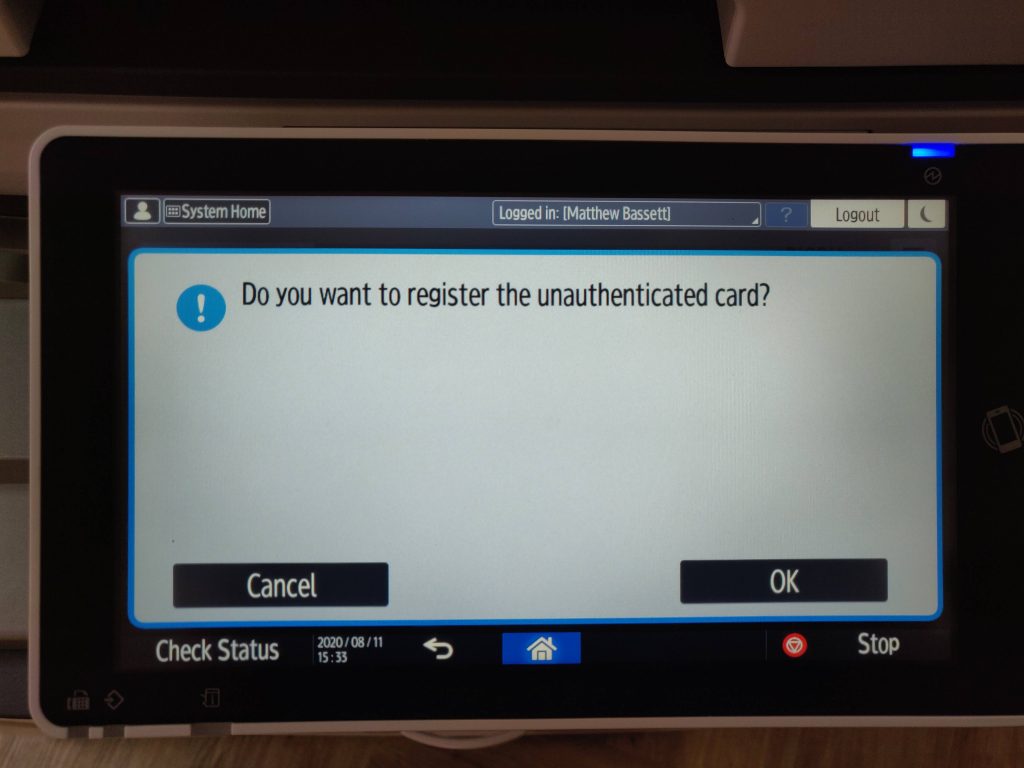
This process only needs to be completed when you first set your card up, or any time you lose your card and need to get a new one. If you have any issues with this process, please stop by the IT Office for assistance.