Sometimes email addresses from previous employees, or employees that have changed to a different school will still try to fill the old email address in your client. To remove the incorrect addresses do the following:
- Open your Mac Mail app
- Compose a new message
- start typing the name of the incorrect address, and then choose it from the list when it shows up
- after it shows up click the arrow next to the name and click Remove Address:
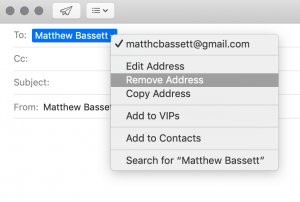
Next time the address will not fill automatically (: